


Photo: stevepb / Pixabay
Quick answers
Open a ready-made page for the most-asked counts: 30 days from today, 60 days from today, 90 days from today and 180 days from today. Each one also shows the date the same number of days ago.
How the date is counted
Today is day zero. Adding one day gives tomorrow; 7 days added gives the same weekday next week. The weekday repeats every 7 days. You can quickly find any result’s weekday: divide days by 7. Move forward by the remainder. For 30 days, the remainder is 2. A date 30 days after a Thursday is a Saturday. For 90 days, the remainder is 6. This is one weekday earlier than today. A days from today calculator uses this logic.
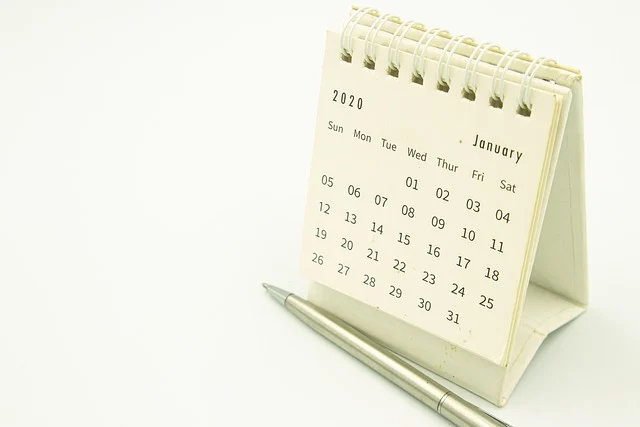
The calculator uses your device’s date, so it is right in your time zone, and it handles month ends and leap years automatically: 30 days from 31 January is 2 March in a common year and 1 March in a leap year.
When “days from today” matters
- Return windows and trials — the last day to return an item or cancel a 30-day trial.
- Payment terms — invoices due “net 30” or “net 60”.
- Travel rules — 90 days within a 180-day period in the Schengen area, or a passport that must be valid for 6 months.
- Health — follow-up appointments and prescriptions measured in days.
Legal and financial deadlines sometimes have their own counting rules — for example, a deadline that falls on a weekend may move to the next working day. When in doubt, check the rule itself, and use the business days calculator for deadlines in working days.
Common Mistakes and How to Avoid Them
Several common errors can lead to incorrect results. Knowing these pitfalls helps you use the days from today calculator more effectively. Always double-check your input and understanding.
One frequent mistake is counting today as day one. This calculator, like many others, considers today as day zero. Therefore, one day from today is tomorrow. This method is standard for many date calculations.
Another error involves misinterpreting 'days' as 'working days'. The calculator counts all calendar days, including weekends and holidays. If you need only working days, use a dedicated business days calculator.
Sometimes, users forget about leap years. The calculator handles leap years automatically. However, manual calculations can easily miss the extra day in February. This can shift future dates by a full day.
Time zone differences can also cause confusion. The calculator uses your device's date and time. If you are near midnight or comparing with someone in a different time zone, results might vary slightly. Ensure your device's time is correct.
When a Different Method Fits Better
The days from today calculator is ideal for simple forward counting. However, other scenarios require different tools. Selecting the right method ensures accurate and relevant information.
For deadlines that exclude weekends, a business days calculator is more appropriate. Many legal or financial deadlines specifically refer to working days. This tool accounts for Saturday and Sunday exclusions.
If you need to find the number of days between two specific dates, use a 'days between dates' tool. This is useful for project timelines or tracking durations. It handles both past and future date ranges.
To add or subtract months or years, a general date calculator provides more flexibility. This is helpful for planning events far in the future or determining age. It correctly manages varying month lengths.
When calculating exact age, an age calculator is the best choice. It provides age in years, months, and days. This is more precise than simply counting days from birth. It accounts for all date nuances.
Using the Calculator Step-by-Step
First, find the input field on the page. It is usually labeled 'Number of days'. This is where you enter the specific number of days you want to count from today. For example, type '30' if you need to find the date 30 days from now.
Next, ensure the 'Counting from' setting is correct. The default is 'Today', which is often what you need. If you wish to count from a different starting date, use the date picker provided. Then, the calculator automatically displays the result. It shows the future date and its corresponding day of the week.
Worked Example: 45 Days From Today
Let's say today's date is October 27, 2024, a Sunday. We want to find the date 45 days from today using the days from today calculator. We will check the calculation manually.
Step 1: Input '45' into the 'Number of days' field. Step 2: Ensure 'Counting from' is set to 'Today'. The calculator will then show the result. Manually, 45 days means 6 full weeks and 3 extra days (45 divided by 7 is 6 with a remainder of 3).
Adding 6 weeks to October 27, 2024, brings us to December 8, 2024. Then, add the remaining 3 days. This takes us to December 11, 2024. Since October 27, 2024, is a Sunday, adding 3 days forward makes the result a Wednesday. The calculator should display 'December 11, 2024, Wednesday'.
Understanding Your Result
Next, the calculator provides two main pieces of information: the future date and its weekday. The date tells you the exact calendar day. For instance, if the result is 'November 26, 2024', that is the specific date you need.
The weekday helps you verify the result quickly. Every 7 days, the weekday repeats. Therefore, if today is a Monday, 7 days from today is also a Monday. You can check the remainder of your input days divided by 7. This remainder indicates how many days to shift the current weekday forward. For example, a remainder of 2 means the resulting day is two weekdays after today.
Practical Tips for Accuracy
Always confirm your device's date and time are correct. The days from today calculator relies on your local settings. Incorrect device time can lead to inaccurate calculations, especially around midnight. Syncing your device ensures precision.
Consider time zone implications. A date calculated by a days from today calculator may shift. This happens when viewed in a different zone. For critical deadlines, clarify the specific time zone. This prevents confusion or missed cutoffs.
Frequently asked questions
What date is 30 days from today?
The calculator shows it at the top for today’s date in your time zone. Thirty days is 4 weeks and 2 days, so the weekday is two days later than today’s.
Does “days from today” include today?
No. Today is day 0, tomorrow is 1 day from today. Use the date picker if you want to count from another day.
Are weekends counted?
Yes, these are calendar days. For working days only, use the business days calculator.
Why do some sites give a different date?
Usually because they count today as day 1, or use a different time zone near midnight. This page counts from your own device’s date.
Sources